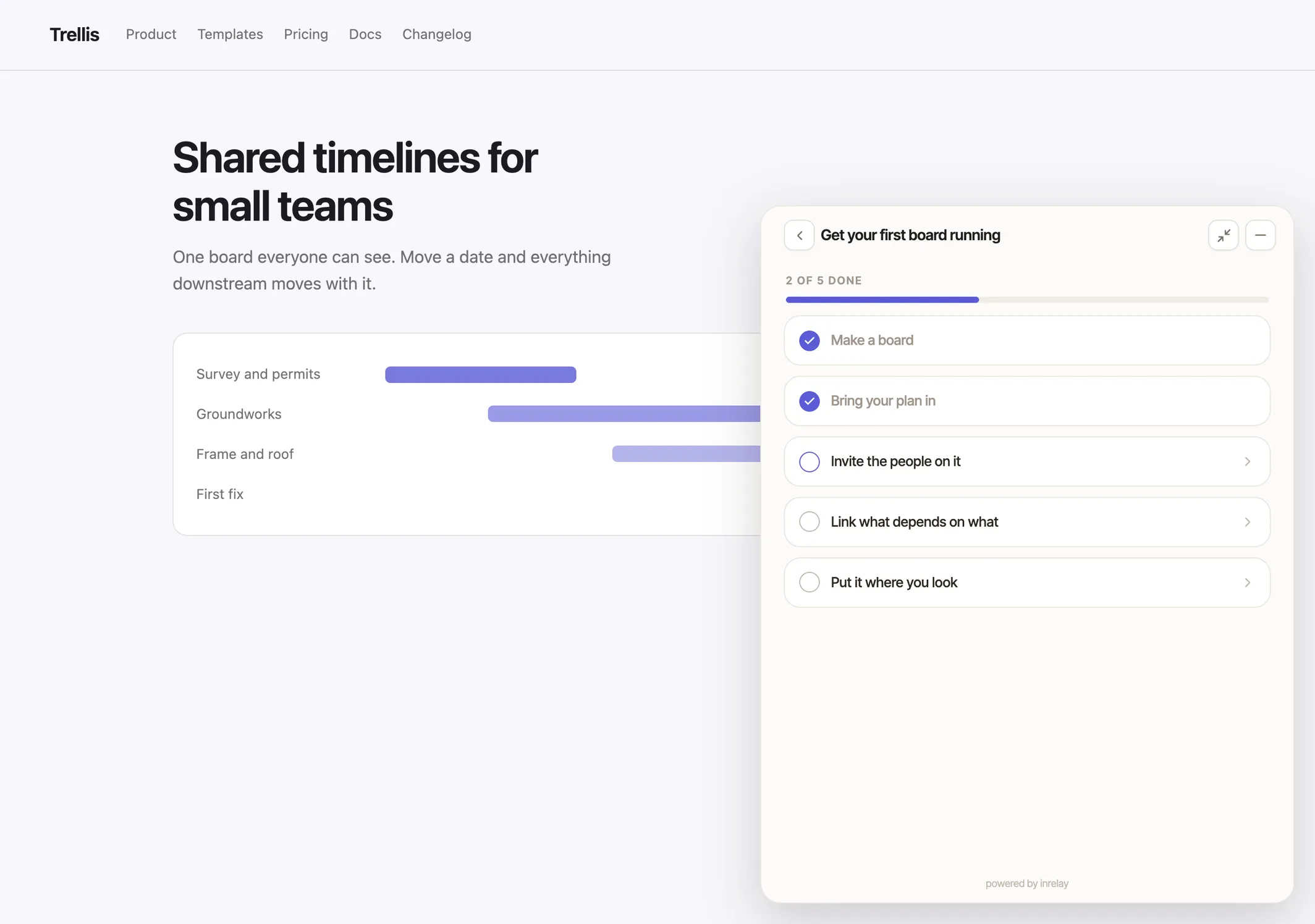
Show new customers the three things that matter first — without adding a second script to your product.
An in-app onboarding checklist is a short guided task list that shows a new customer what to do first and tracks how far they have got. In inrelay you write one in settings and it appears inside your support widget — the same widget already answering questions on your site.
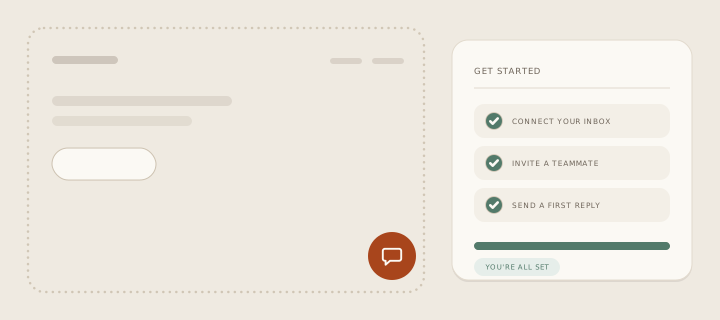
What it prevents is the silent first week. A new customer signs up, opens the product, sees everything at once, and closes the tab — and the only signal you ever get is that they never came back. A checklist replaces the whole surface with three or four steps in a sensible order, and gives them a visible finish line. It is self-service pointed at getting started rather than at getting unstuck — which is why creators selling courses and memberships tend to reach for it first.
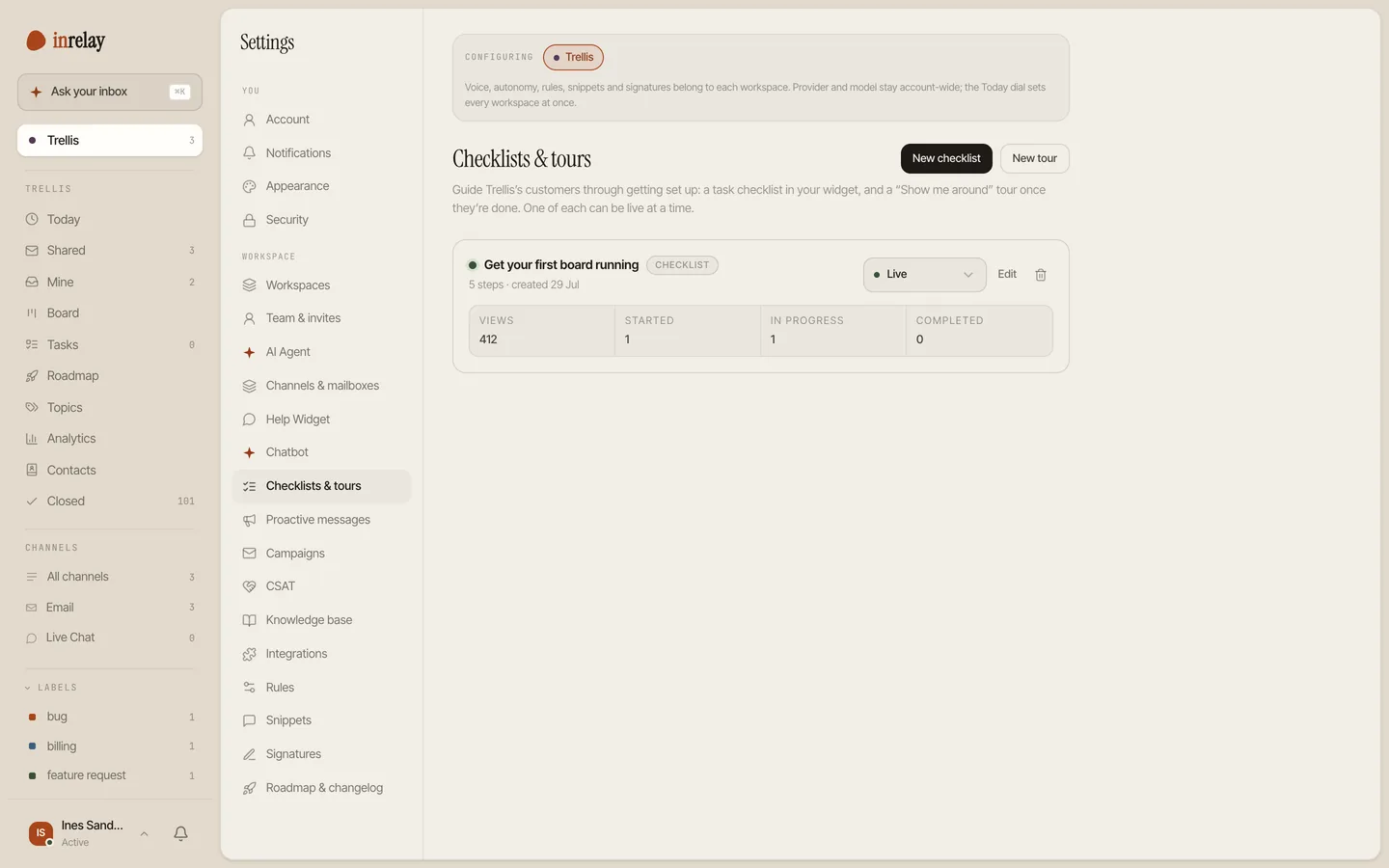
Checklists and tours are built on the Checklists page in desktop settings, and delivered by the widget your customers already use to reach you.


A checklist tells someone what to do. A tour shows them where things are. When the checklist is finished, the chip converts to “Show me around” — no longer a task, just an offer — and opens a centred modal that walks through your product a screen at a time, each step led by a screenshot or a short recording.
Tours are deliberately browsable rather than tracked. There is no completion state, no progress bar and no nagging: a customer can open one on their first day or their fortieth, skip to the step they need, and close it. The detail that does not fit in five screens belongs in your help centre, which the same widget can search.
Support and onboarding are the same conversation held at two different moments. The questions a new customer would have written to you in week one are almost exactly the steps an in-app onboarding checklist can hand them in minute one — which is why running both from the same widget makes more sense than running them from two products that never speak.
It also changes what your inbox looks like. Every step a customer completes on their own is a thread that never starts — deflection that happens before the question forms — and the ones that do start arrive with a customer who has already found their way around. The pattern is the same one a knowledge base creates, moved earlier: answer it before it is asked.
Onboarding checklists usually arrive as their own product: a separate platform, a separate script in your page, a separate bill that grows with your monthly active users. You end up paying twice to talk to the same person — once when they need guiding, once when they need helping.
In inrelay the checklist rides the widget you installed for support. One script, one place your customers already know to click, and one price that does not move when your product gets popular. The checklist, the tour, your help articles and the human conversation are four views of the same panel — a customer stuck on step two can ask about step two without leaving it.
We also use it ourselves, which is the honest test: new inrelay accounts get their own “Getting set up” checklist in our widget, with the steps the signup wizard already handled arriving pre-ticked.
Create your onboarding checklist, give it the title your customers will see on the chip, and leave it in draft while you write.
Fewer than you think. Each one gets a title, a single line of explanation and an action — a link, an article, or nothing at all.
Set the celebration message and the one button that should follow it, so finishing leads somewhere.
Flip it active and the chip appears in your widget. The builder counts views, starts, in-progress and completions so you can see which step people stall on. The help docs cover every field.
Authoring checklists and tours is included on the Team and Studio plans. On Solo the page is visible and honest about it rather than hidden behind a dead button.
Checklists are one piece of the inrelay feature family — these are its closest neighbours.
Any step can open one of your help articles inside the widget, without sending anyone to a new tab.
See the knowledge base → AI CHATBOTThe same panel answers it — and hands the customer to a person the moment the answer needs one.
See the chatbot → ROADMAPOnce they are set up, the requests start. A public roadmap turns them into votes instead of a backlog nobody sees.
See the roadmap →Free to start with your own inbox — every feature, no card, never per seat.
Give your customers faster answers and your team their evenings back.
Desktop and mobile. Free for solo.